Mobile App feature

October 2025 - June 2026
Asama P.
Thongthod K.
Rawisara L.
UX/UI Lead
UX/UI Designer
UI Associate (Me)
Figma, Claude
Researched what features would drive budgeting engagement
Iterated on concepts and ran prototype testing across multiple rounds
Conducted user interviews and usability testing with real users at client sites
Finalised designs and led handoff, connected with PO, developers, business, sales, and customer success
Before
A budgeting button existed on the home screen, but the flow behind it was complex and unfamiliar. It's requiring manual setup with no guidance. Users tapped it once and never came back.
Google Analytics told a clear story that awareness wasn't the problem. The budgeting button was visible and being tapped. But something in the journey was breaking down before users committed.
16,760 users tapped the home budgeting button (77.78% of budgeting events)
3,283 users actually added a budget (only 4% of total 80,302 users)
The goal wasn't just more people using the budgeting tools. It was helping users understand their own financial behavior which requires a tool that's worth returning to.

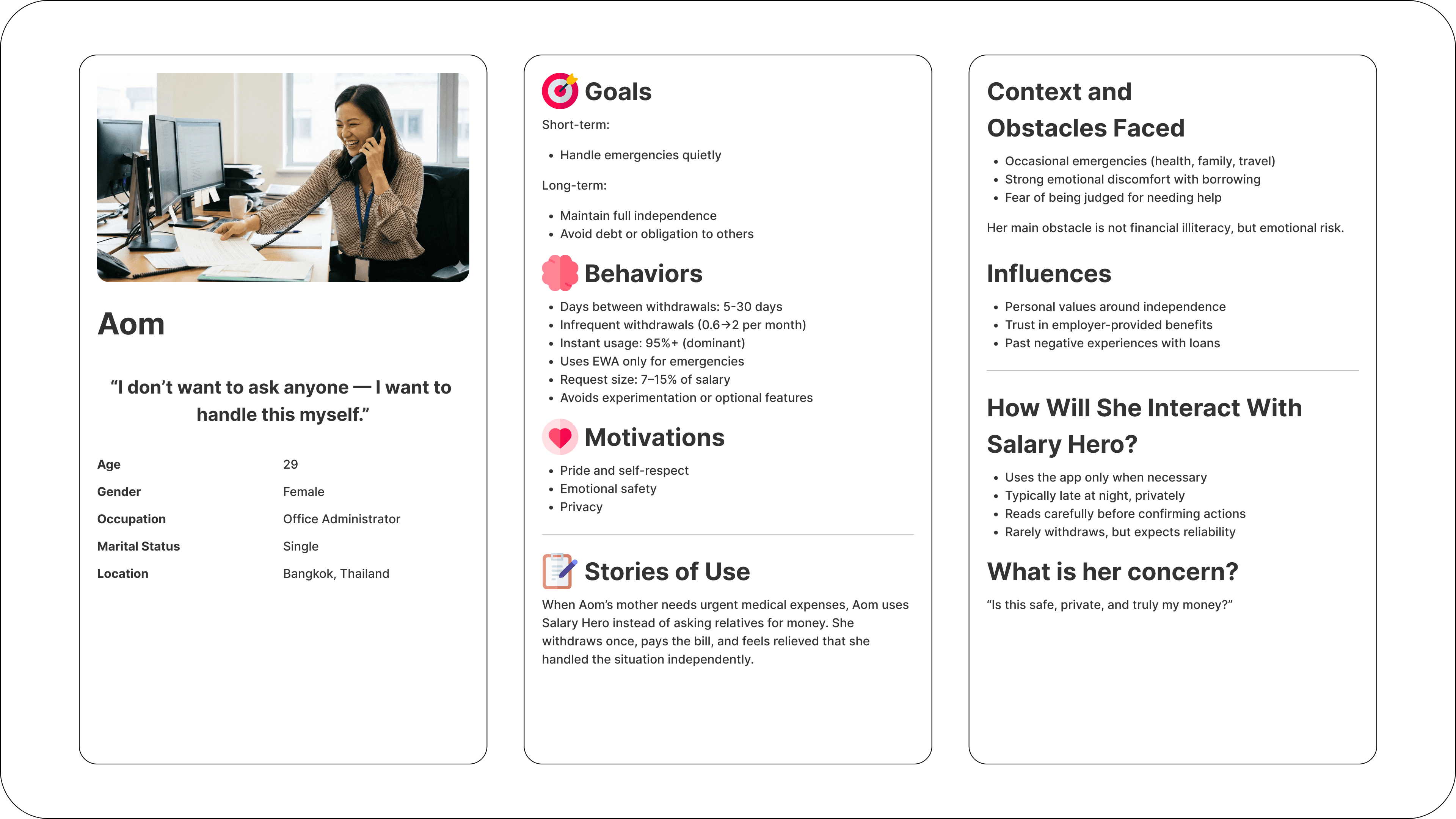
Persona
We used one of our main personas : Aom, an office worker who usually depends on herself financially to represent the Salary Hero user most likely to benefit from better budgeting tools. Designing through her lens helped keep decisions grounded in a real person rather than abstract user types.
Budgeting Workshop
We ran a structured design sprint across a cross-functional team: MD, PM, CS, designer, dev, and QA. The session used HMW framing, affinity mapping, and Crazy 8s to generate a wide solution space before narrowing down.
How Might We
We broke the HMW into two main pillars, each with subcategories explored by the team.


Crazy 8s
Five participants ran Crazy 8s and surfaced ideas across four categories. Each generated 8 concepts in 8 minutes — then the team voted on the most promising directions

After doing Crazy 8s and breaking down our HMW statements, we grouped everyone's ideas and landed on three main directions: Gamification, Financial Literacy, and Community & Social.
Out of the three, we're mainly building around Gamification — the idea being to make budgeting more fun and engaging so people actually want to keep using it, instead of feeling like a chore. Financial Literacy and Community & Social will still play a role, but gamification is the core direction we're designing around.
After the Crazy 8s exercise, we had a wide spread of ideas across gamification, financial literacy, and community/social themes. To move from divergent thinking into something buildable, the team voted and converged on three concepts that felt most promising — each tackling engagement from a different angle.
Streak
Streaks create good engagement and encouraging users to log consistently by rewarding the habit of returning to the app every day or pay cycle.

Visual Representation and Character
users answer a few questions and get a character that suits them. Opens the door to personalised product recommendations in the future.

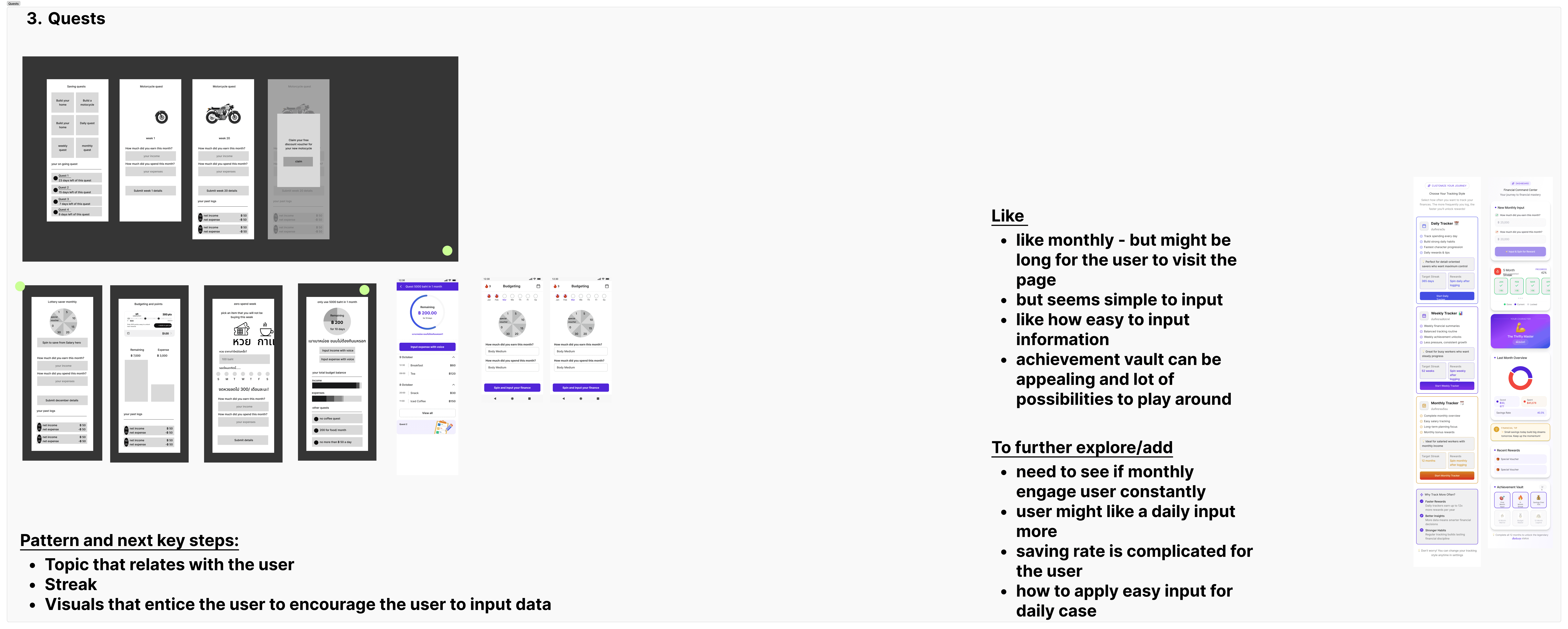
Quests
Daily and weekly quests keep users coming back consistently, saving daily, tracking expenses, building habits through small achievable goals rather than abstract financial targets.
Exploration
We also gathering the main reference or the app that we heavily rely on


After the concept phase we mapped out the full flow on how budgeting would be structured from first setup through ongoing tracking. We then built a first version and began iterating, using each internal and external test to push the design forward.


The internal test was run with colleagues across sales, tech, and customer success who talk to end users every day. Getting their perspective helped us think beyond the designer's viewpoint and surface friction we hadn't anticipated.
After we get the first iteration concept we started to do the internal test to see what out college think. this will help us think outside the role of designer as we have sales tech to the customer success who contacted directly to the end users


We ran three rounds of testing after we got some internal concept feedback, each one surfacing something different and directly shaping the next iteration.


User Info
Who: 2 CS team members
Method: Concept test
Key Finding
The flow was harder to use than expected when recording an expense, users didn't know where to click
What Changed
Redesigned the UX/UI of how to record an expense


User Info
Who: 4 HR users (2 already use Salary Hero, 2 new users) - all never seen this feature before
Method: Usability test
Key Finding
Users need a tutorial/guide before using the feature
Couldn't find the withdrawal auto-fill button on their own; expected auto-fill for salary side too
Suggested multi-select for category to record everything at end of day in one go
Streak and invite friends feature seen as strong motivation to use the app
Spin the wheel: they love it
Social features and rewards are the strongest point overall
What Changed
Added a multi-add menu to the logging flow


User Info
Who: Client employees - 2 groups across admin and operations roles
Method: Usability test + SOD interview
Key Finding
Slip scan + auto-categorize is the standout feature
2 prefer old UI (easier to use), but acknowledge new UI has more complete info
Withdrawal fees remain a friction point vs. credit cards
Coupons are the #1 motivation for Group 2, they will engage when coupons are available
EWA debit card is a requested feature
Accessibility for migrant worker users needs attention
Spinning wheel / gamification: both groups want it added
What Changed
Validated the reward and gamification direction; slip scan flagged as high-priority; fee friction and accessibility noted as areas to follow up
From the user interviews, we realised that the wheel and streak rewards are what makes the feature more interesting and what would invite more people to come in and use it. Originally we planned to revamp only the current feature we had as Phase 1 which is record income/expense, but based on what we heard, we decided to include the wheel and streak in Phase 1 too. Character and saving goals are good to have and moved to a later phase.

The core revamp of the existing budgeting experience. Based on user testing feedback, we knew the current recording flow was confusing so we redesigned it from the ground up. We also added wheel and streak into this phase after user interviews showed these were the strongest motivators to get people to start and keep using the feature.
Record Expense/Income
Record from the last SOD (Salary on Demand) withdrawal
Budgeting summary


Streak
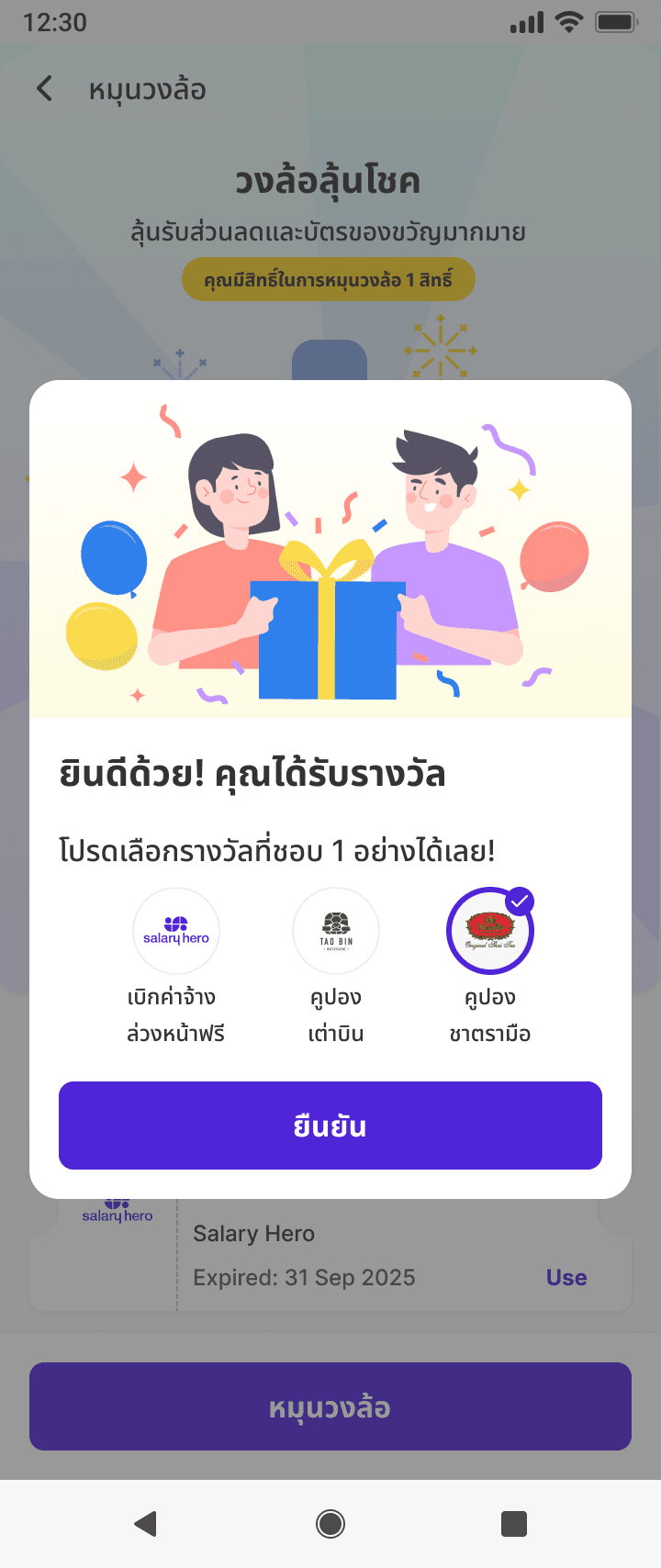
Get a chance to spin the wheel when completing the streak goal
Win the coupon

Wheel
Record expense daily/weekly
Notification reminder


Once users are comfortable with the core recording flow, we introduce the character system. Users can get a character that represents them in the app, making the experience feel more personal and giving the product room to grow into personalized recommendations and guidance in the future.
Character
Get character customization


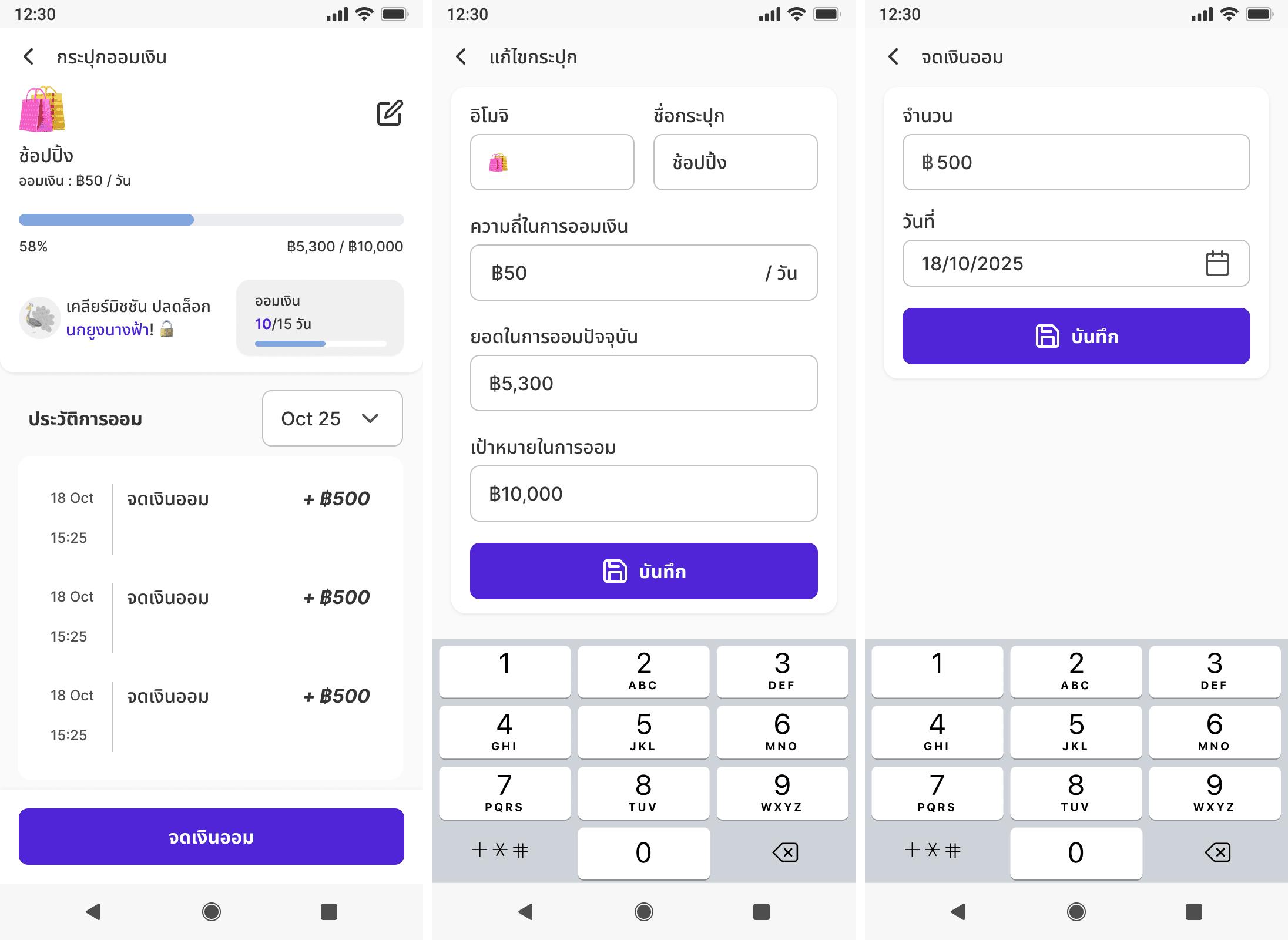
The final phase extends the tool beyond tracking into planning. With saving goals, users can set intentions not just record what happened which moves them from awareness into active financial behavior change.
Saving
Can set the saving goal
Set the daily/weekly saving
Looking back now there are things I wish we had done differently. These are the lessons that stuck with me the most.